AI calorie tracker
PhotoCal AI Press Kit
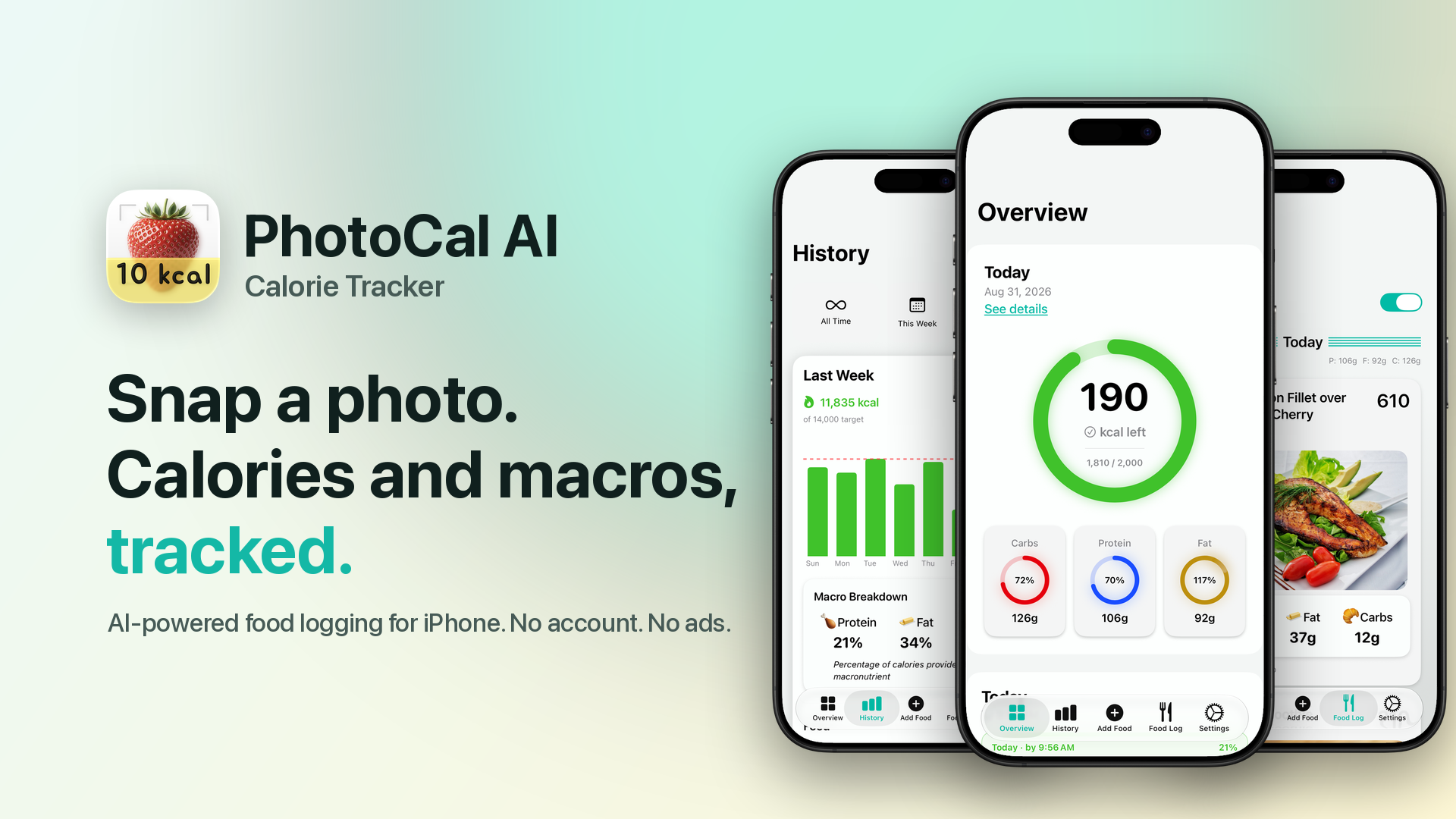
Ultra-low friction iPhone app tracks calories, protein, fat, and carbs using AI to analyze photos of food, nutrition labels, restaurant menus, or a description of your food — no account necessary and no ads ever.
Press contact: Andrew Benson – db@nuclearcyborg.com
Includes twenty-two full-resolution PNG screenshots — light and dark, five more languages, and accessibility settings — four 1920×1080 promo banners, the app icon and strawberry mark at 1024, 512, and 256 pixels, and a plain-text fact sheet.
At a glance
Fact sheet
- App
- PhotoCal: AI Calorie Tracker
- What it is
- PhotoCal is the iPhone app that tracks calories and macros from a photo of your food — point the camera at a plate, a nutrition label, or a menu, and it's logged.
- Price
- Free download includes 5 AI analyses on the first day. PhotoCal MAX is $3.49/week, $8.99/month, or $19.99/year, with a 3-day free trial for eligible new subscribers; Annual plan includes Family Sharing. Local App Store pricing may vary.
- Platform
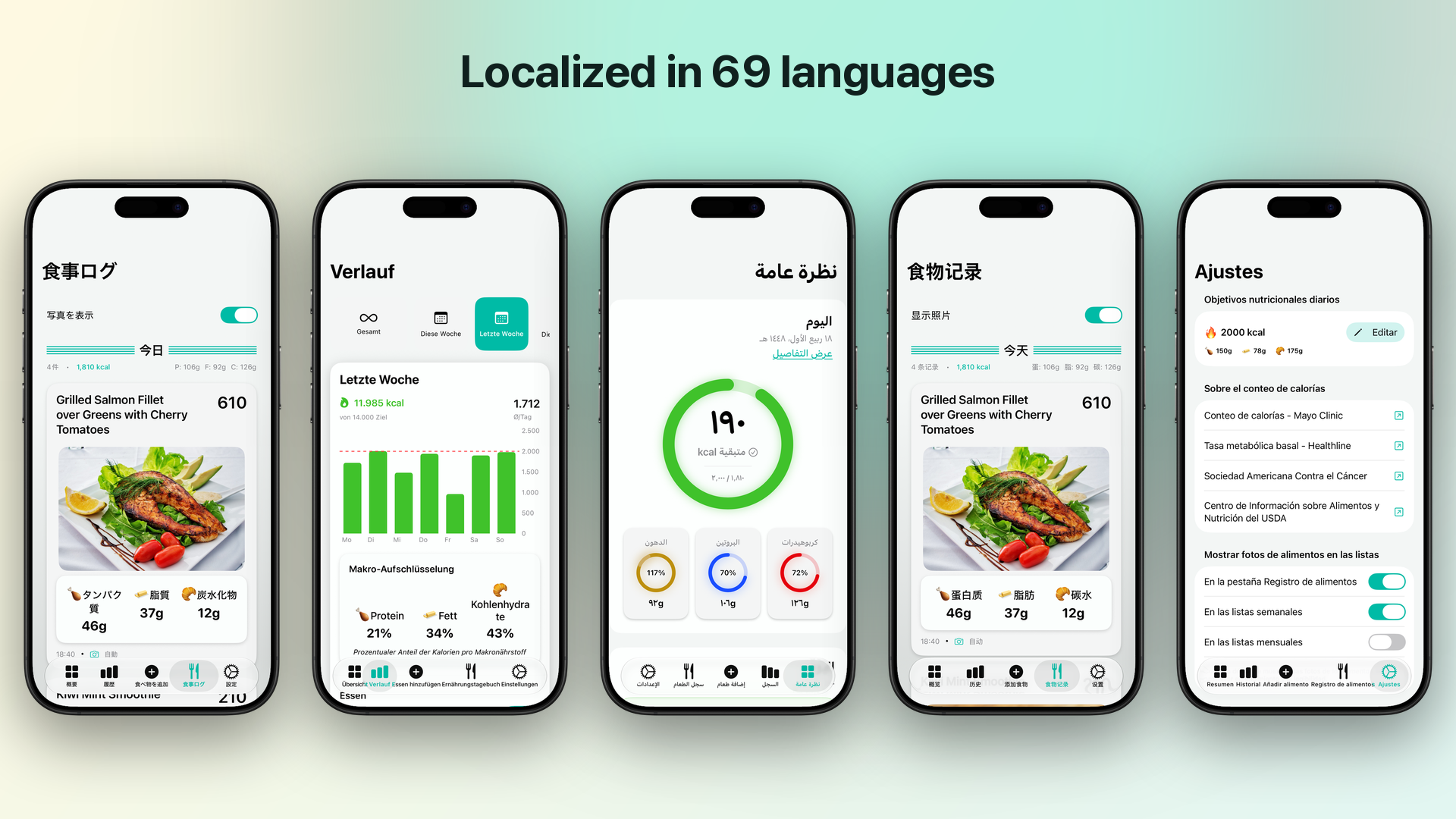
- iPhone; iOS 18.0 or later. Localized into English and 68 more languages.
- Public launch
- September 18, 2025
- Developer
- Nuclear Cyborg Corp — Minnesota, USA
- Links
- App Store Website
Product description
About PhotoCal
PhotoCal is the easiest and quickest way to track calories and macronutrients — snap a photo of the meal, a nutrition label, or a restaurant menu item, and the AI analyzes it and does the logging for you.
“PhotoCal exists because I would always stop using every tracker I tried — usually because there were too many bells and whistles getting in the way and making the basic tracking too tedious. So I set out to build a tracker I would actually use.
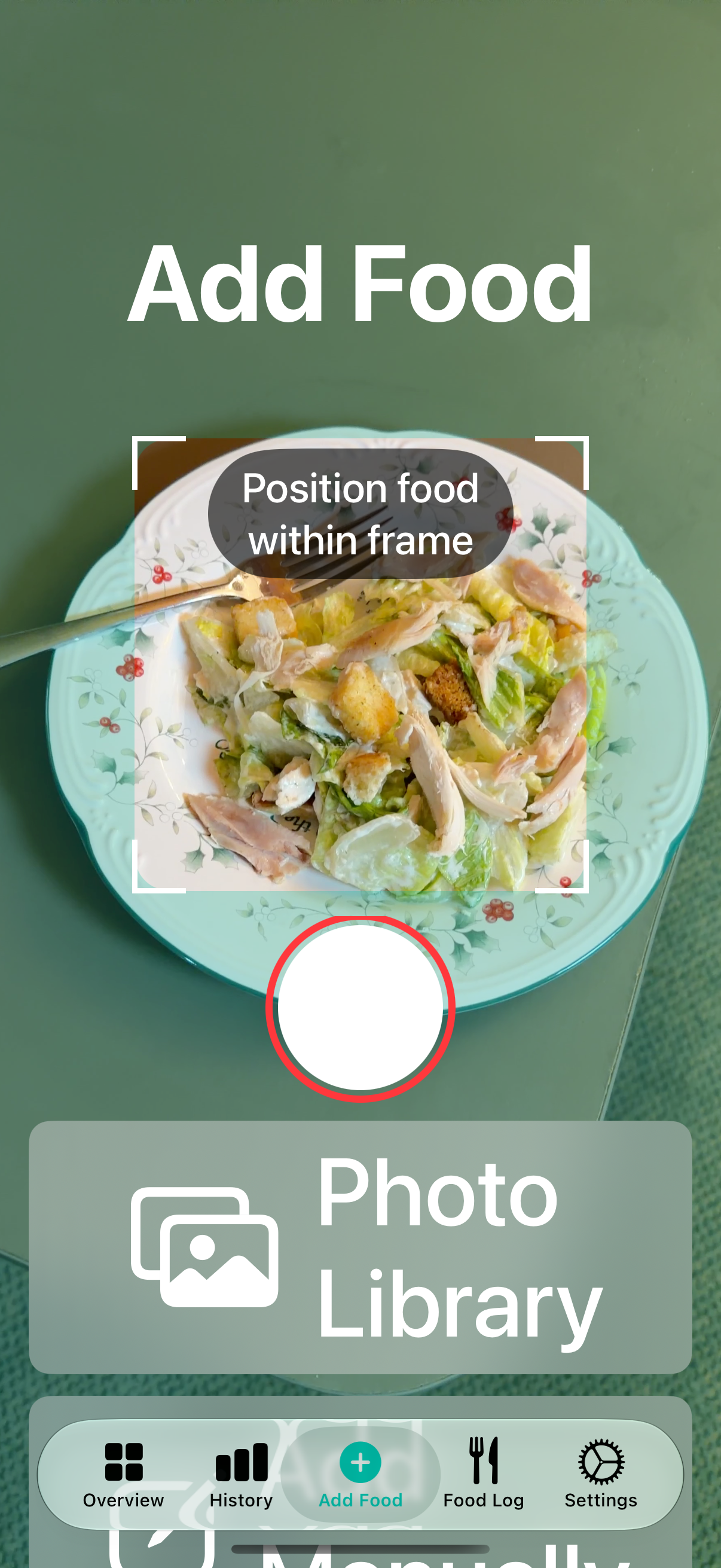
So PhotoCal was built AI-first: getting food recognition right came before everything else. Point the camera at a plate and you're done. The same camera reads nutrition labels and restaurant menus too, and you can always just type what you ate (‘cheeseburger and fries’). Photos taken in the regular Camera app aren't a problem either: mass-select a pile of pictures from your library, and PhotoCal imports the food ones, skips anything already logged, and politely reports ‘no food in this pic’ for the rest.
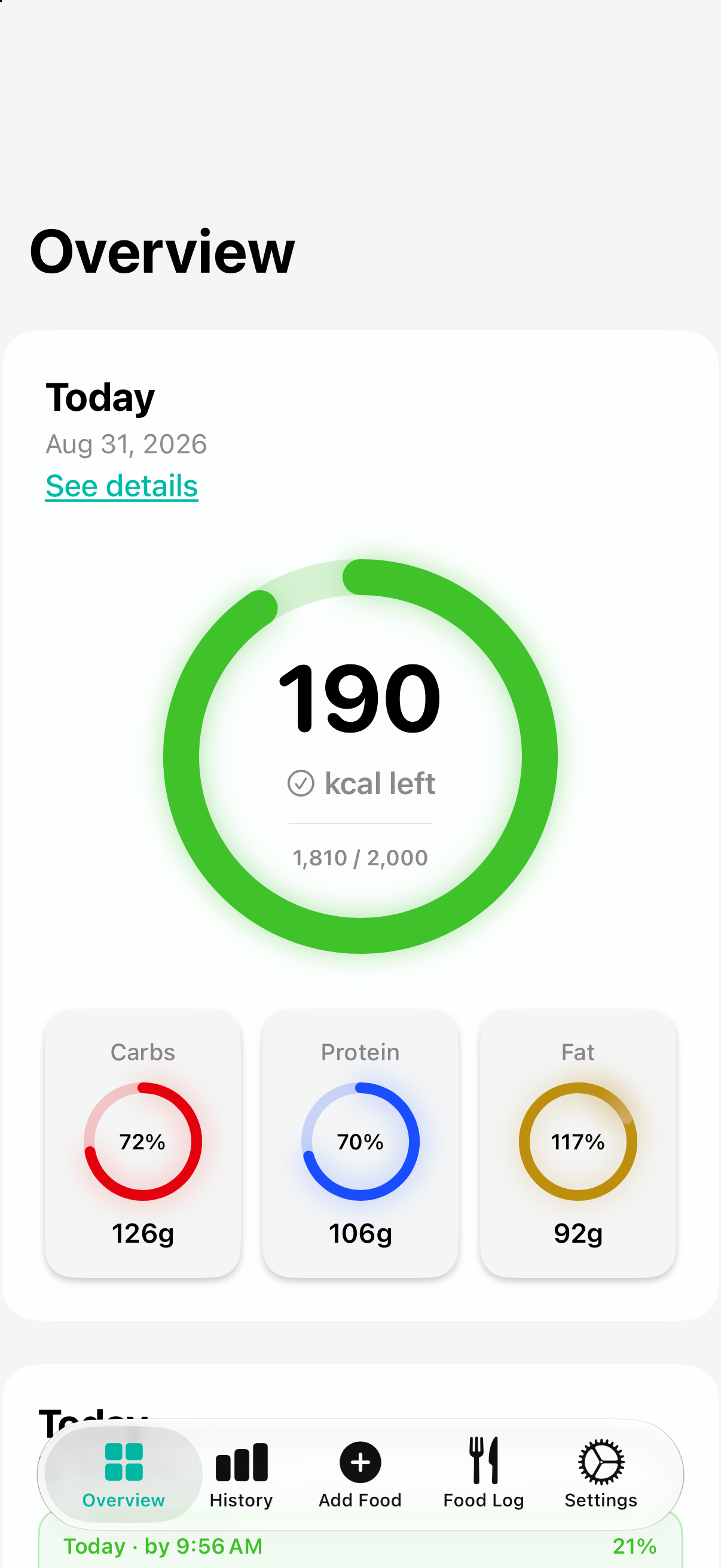
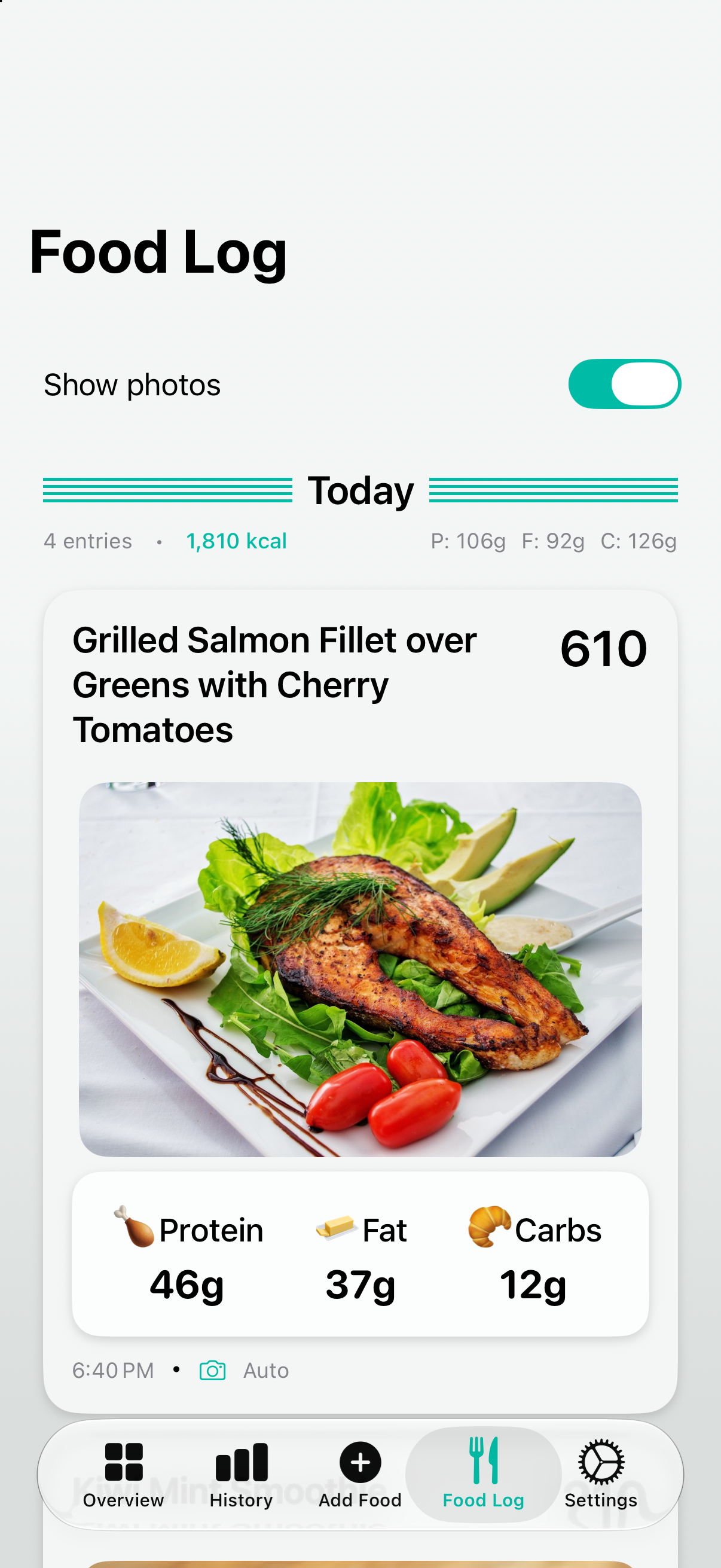
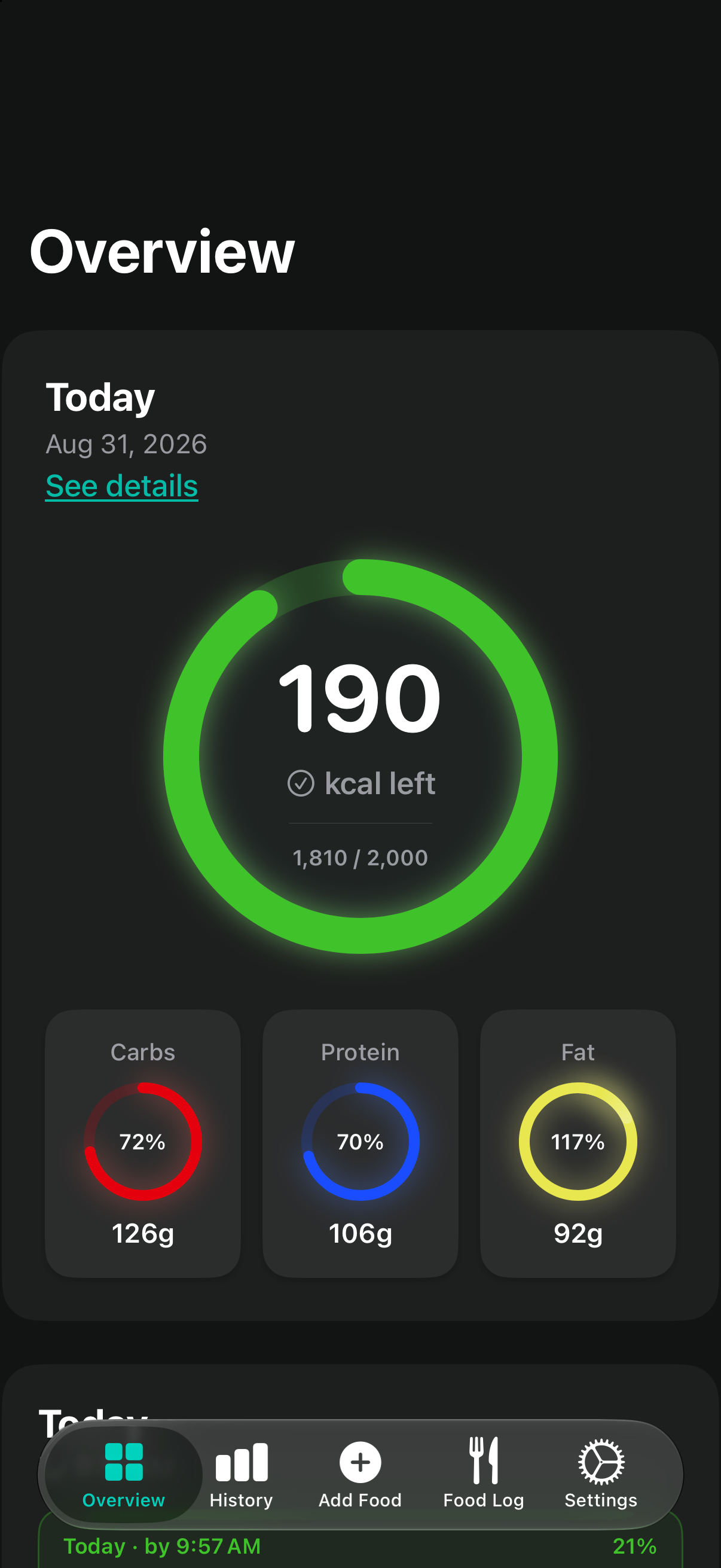
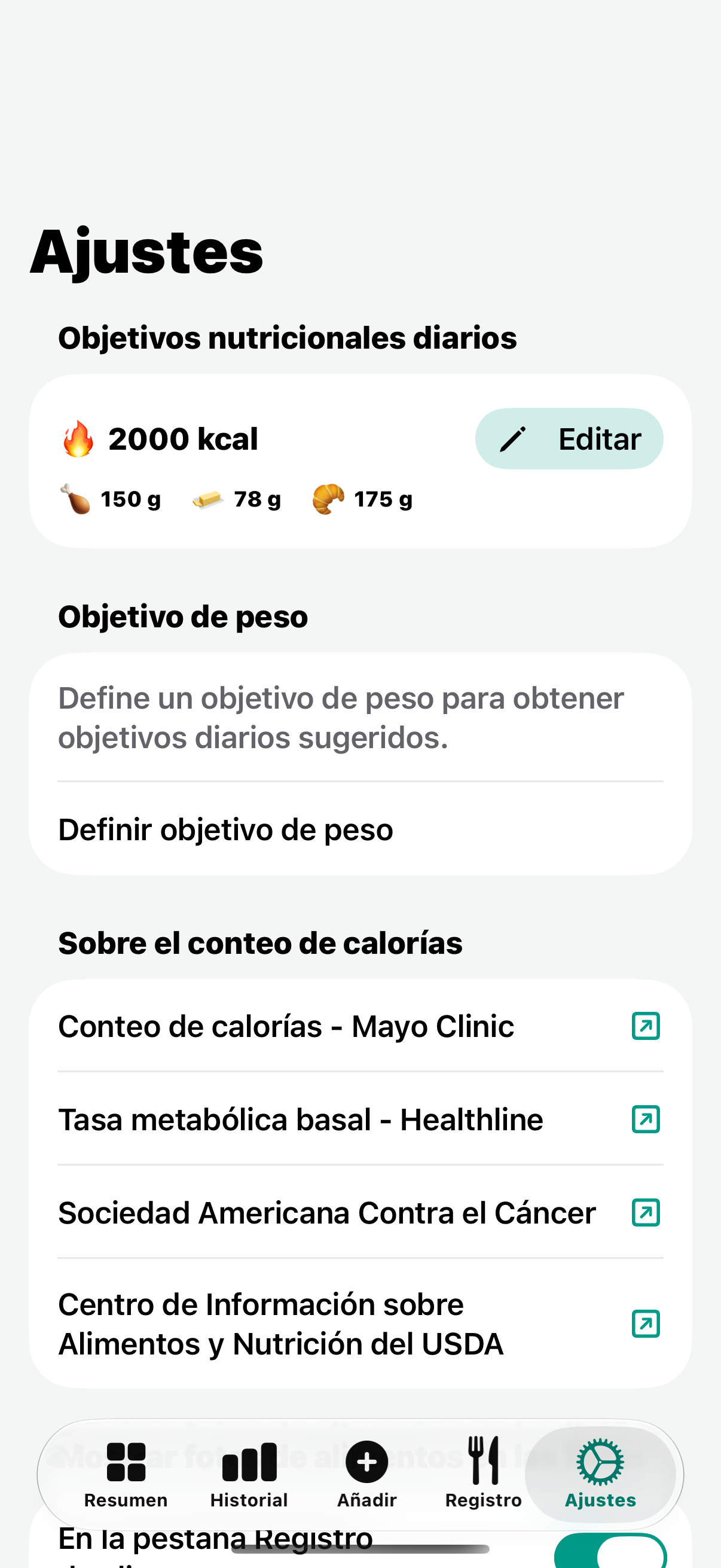
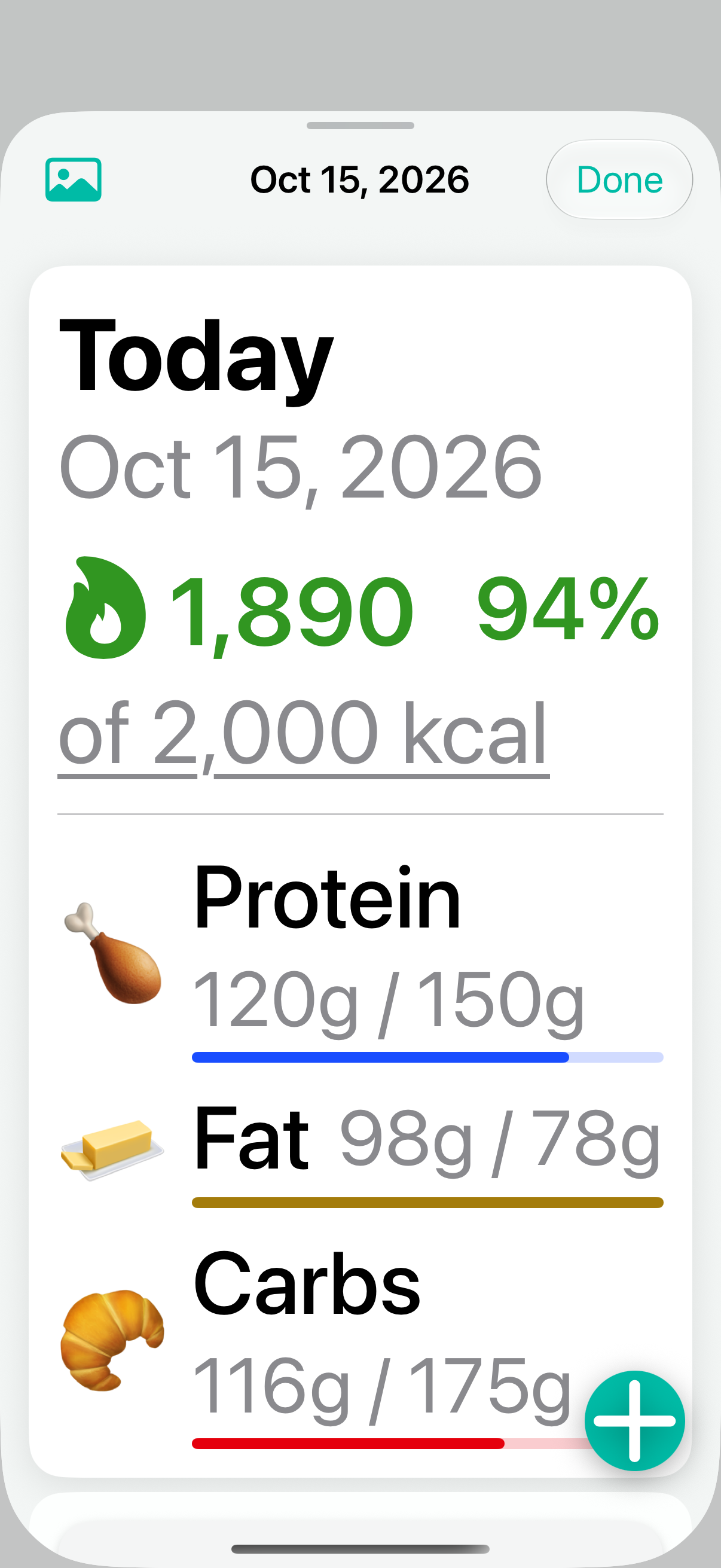
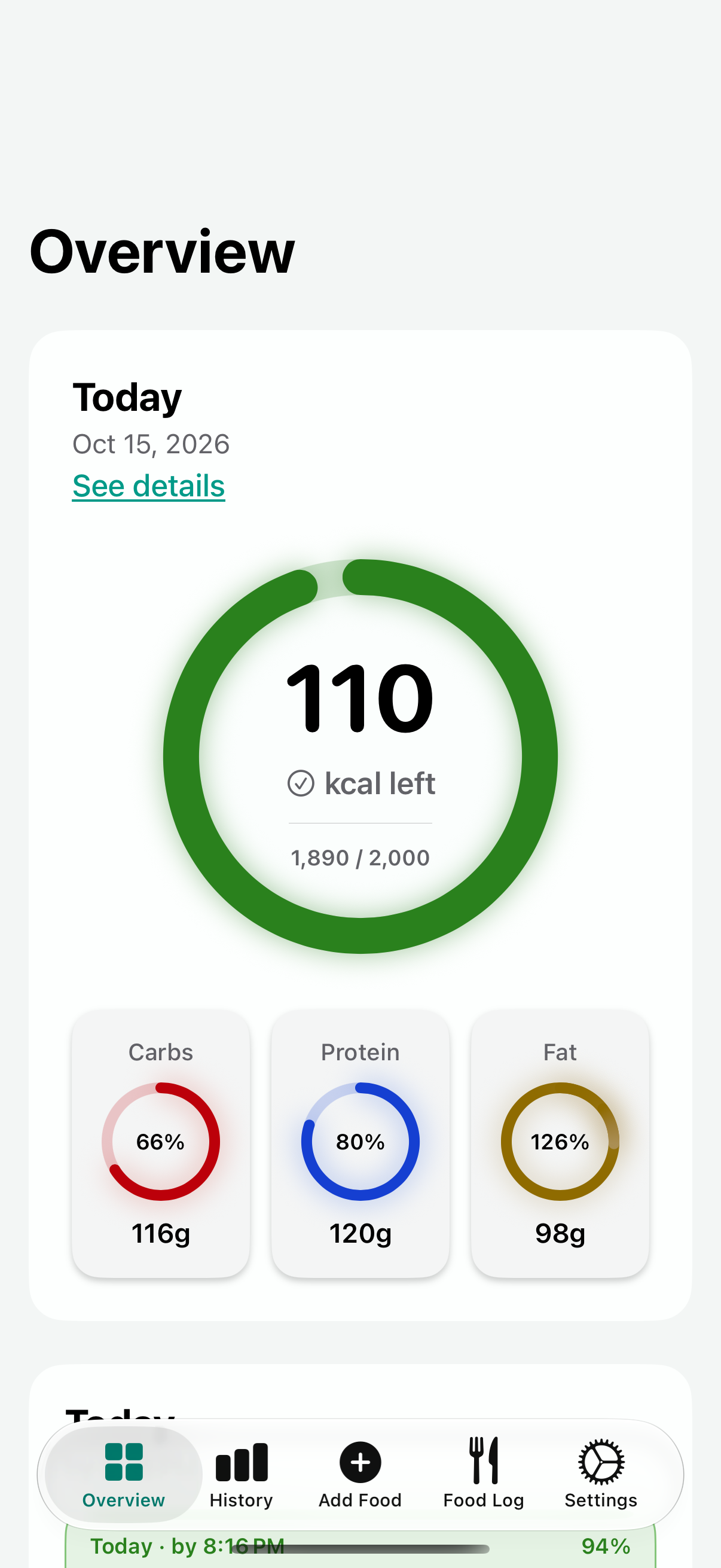
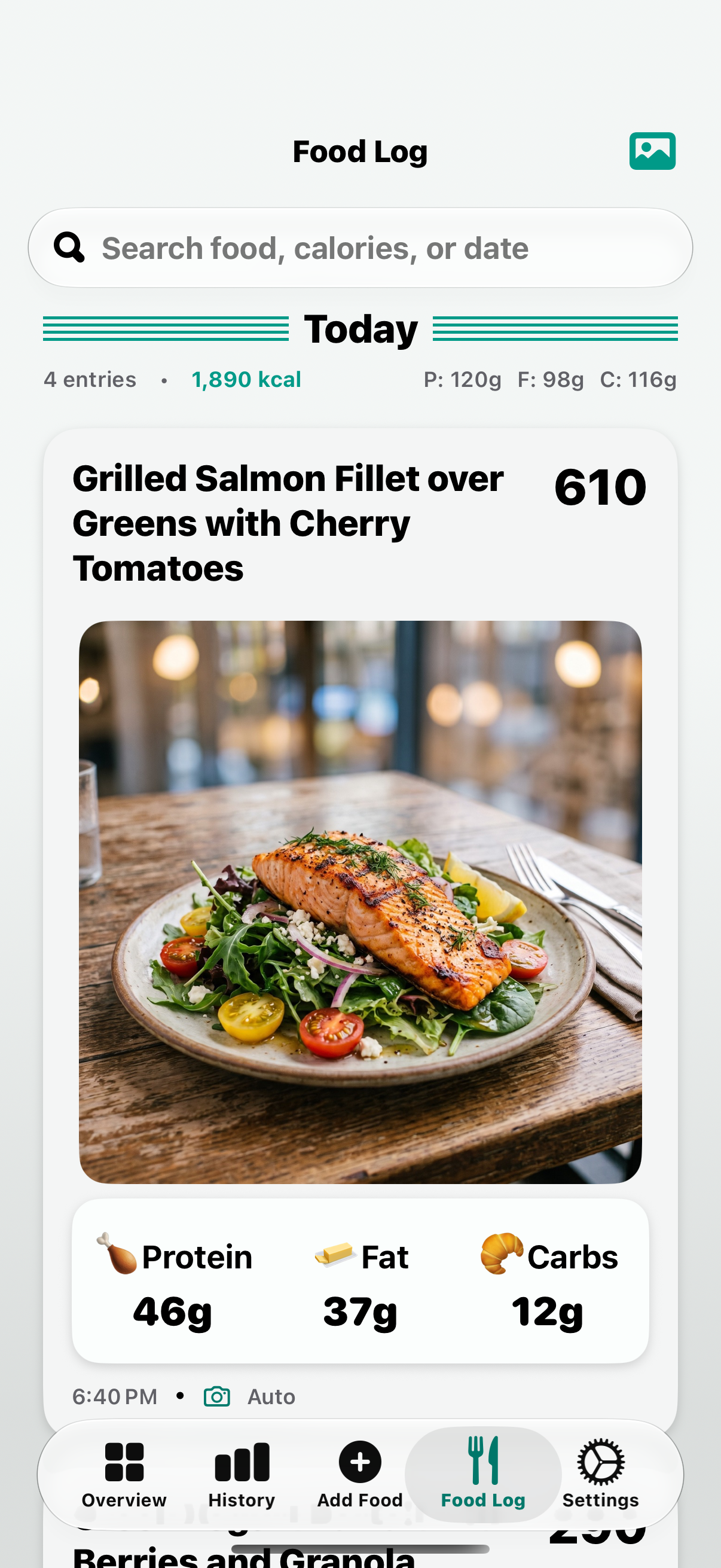
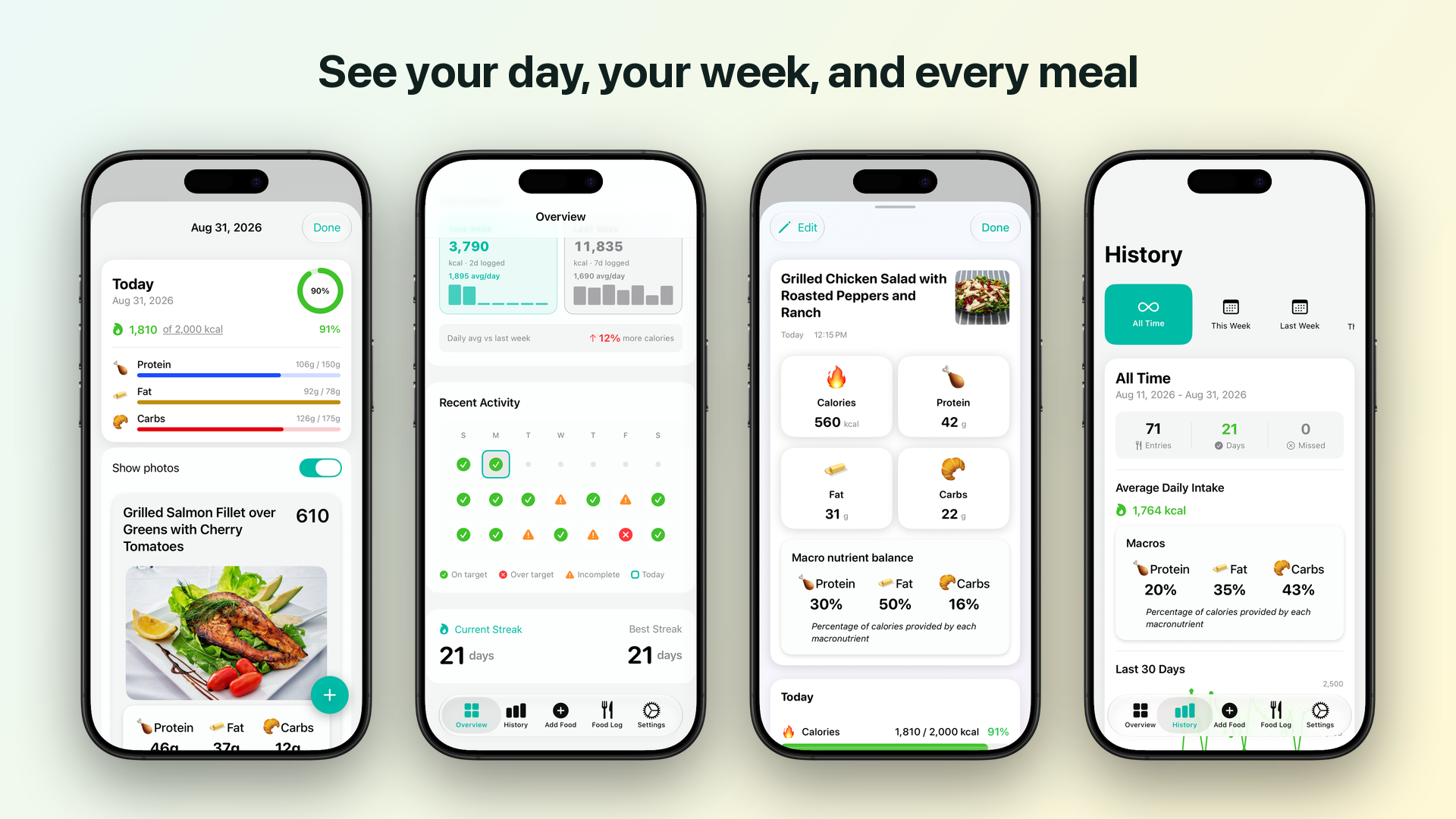
Everything you log stays on your device. There's no account to create, no ads, and no data sharing beyond the AI analysis. Set a daily calorie and macro goal and watch the progress ring fill over the day; compare today against yesterday at the same time of day; and look back at weeks, months, streaks, and a photo food log of everything you've eaten.
The app keeps growing in the same direction — Siri and Shortcuts today, widgets soon — toward as little friction as possible between eating and logging it.”
Key features
PhotoCal Features
The whole app is organized around one idea: the fastest food log is the one you don't have to type into.
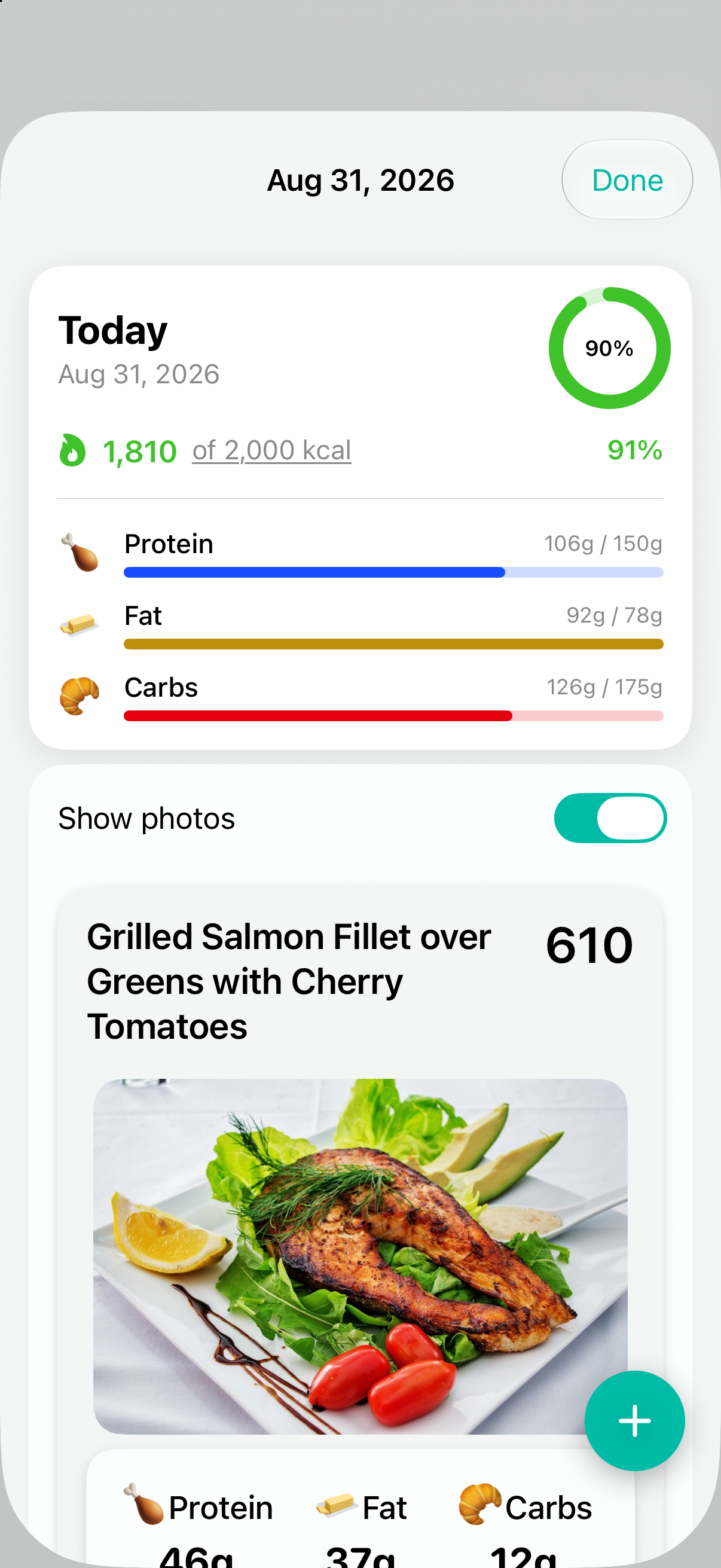
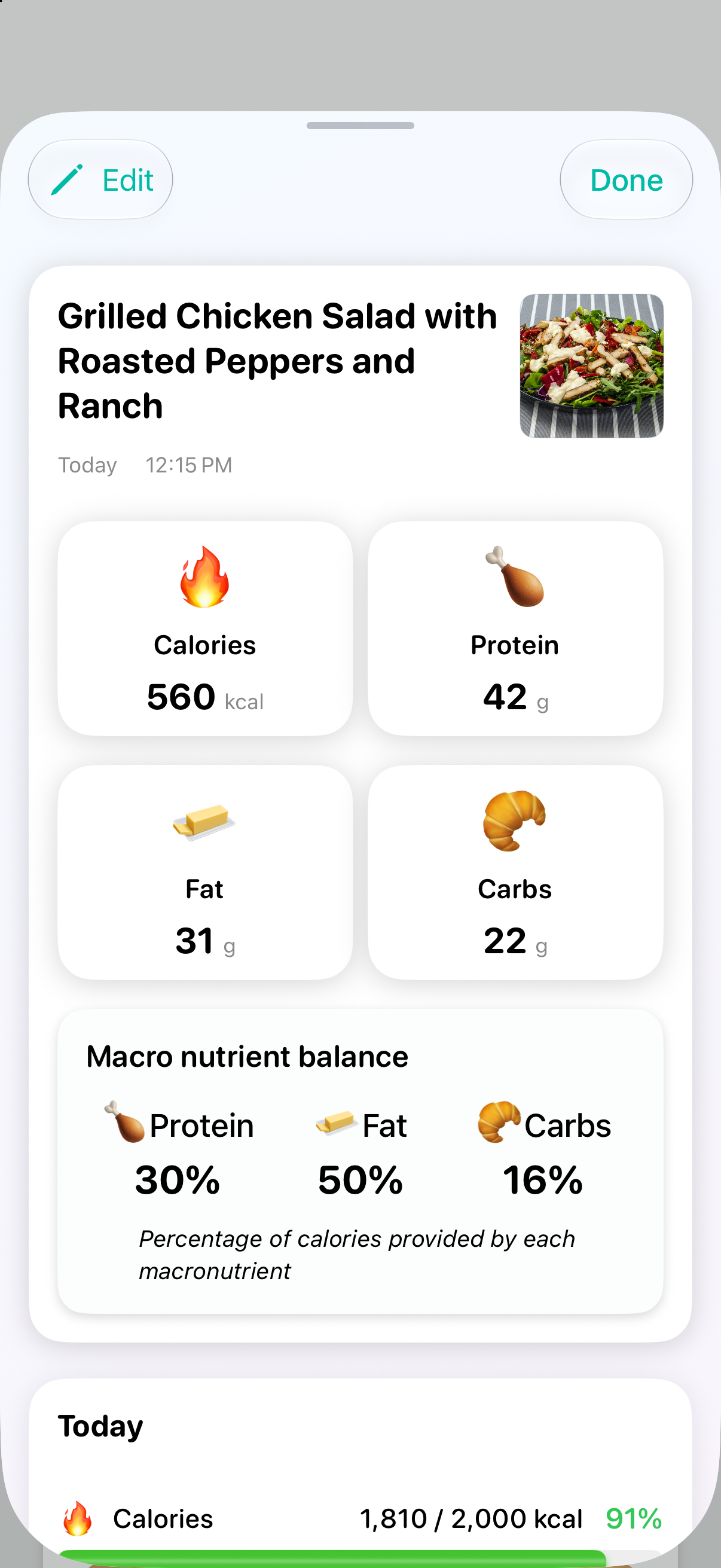
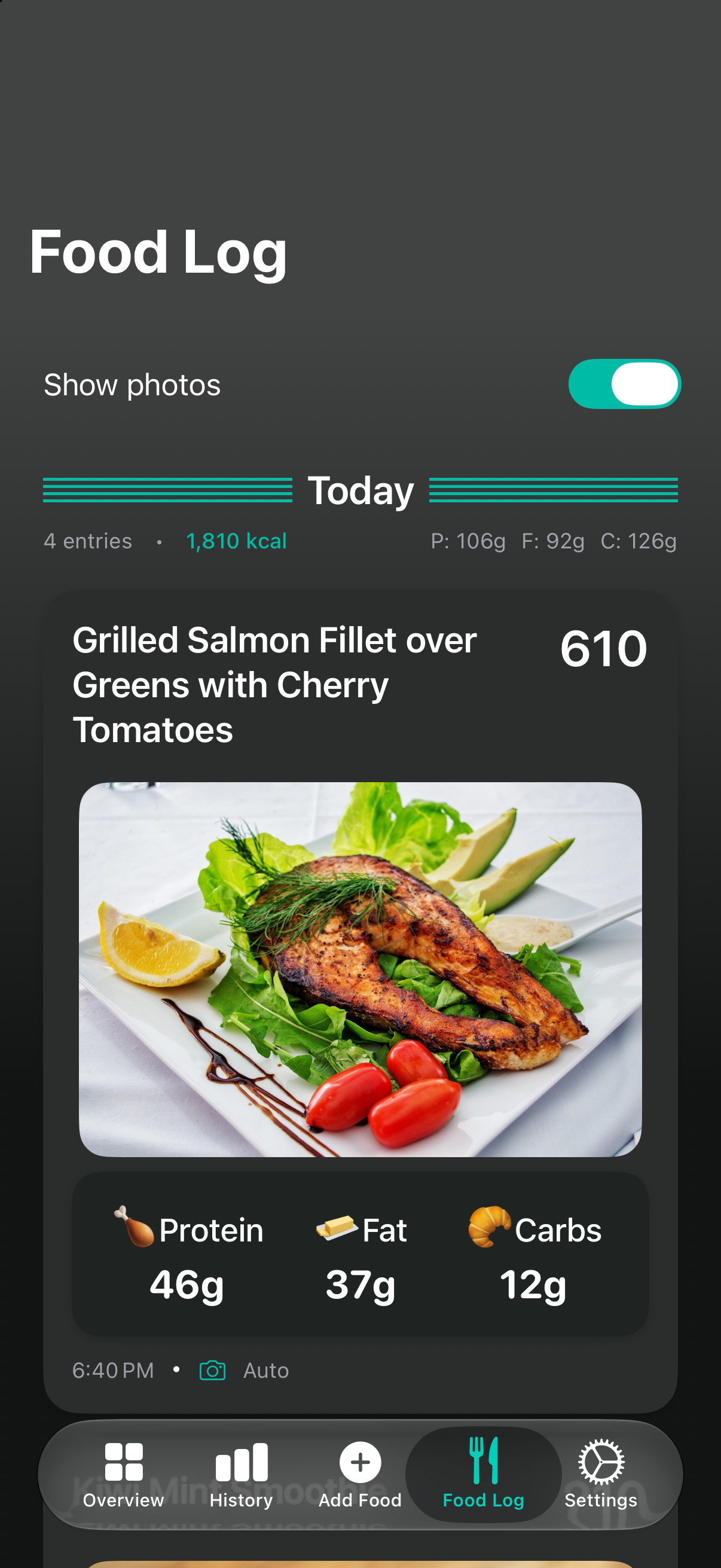
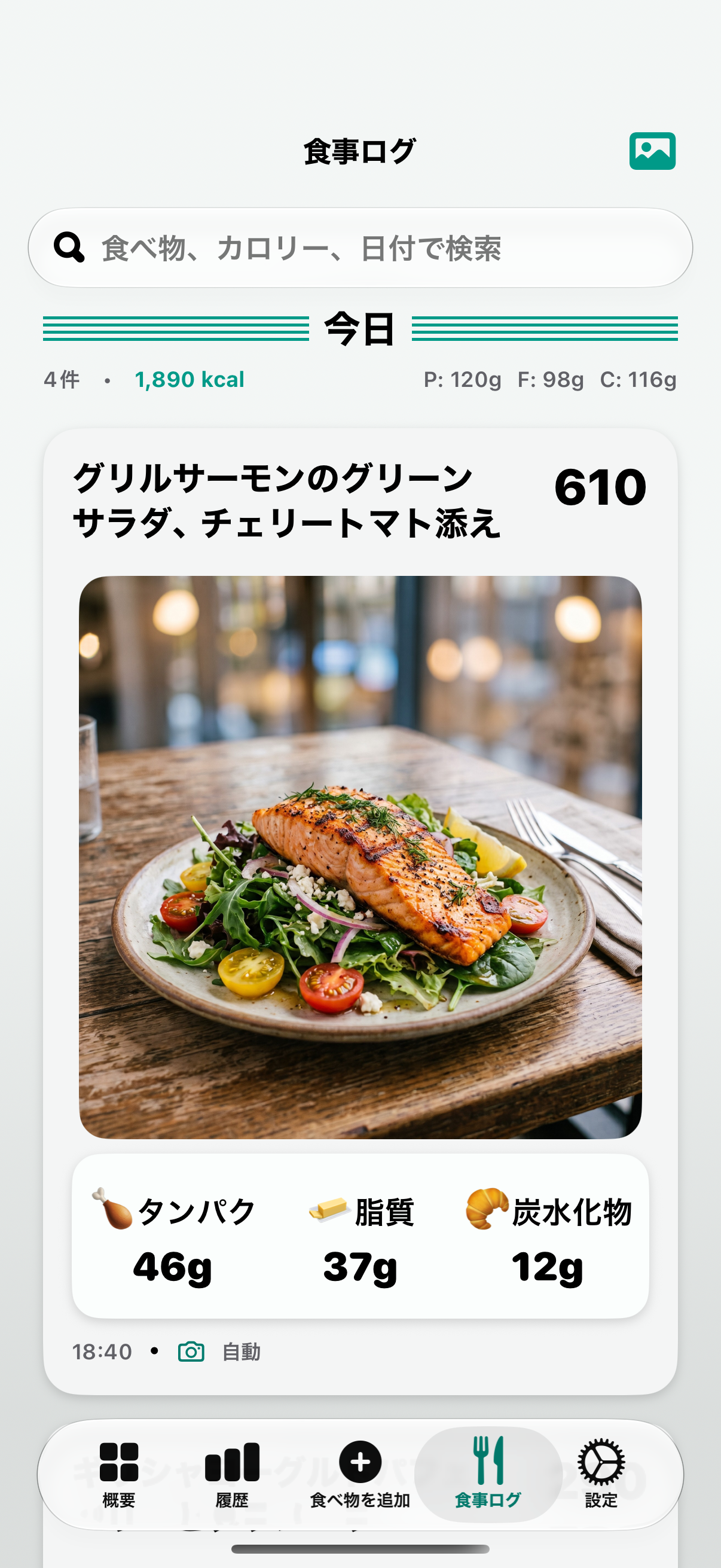
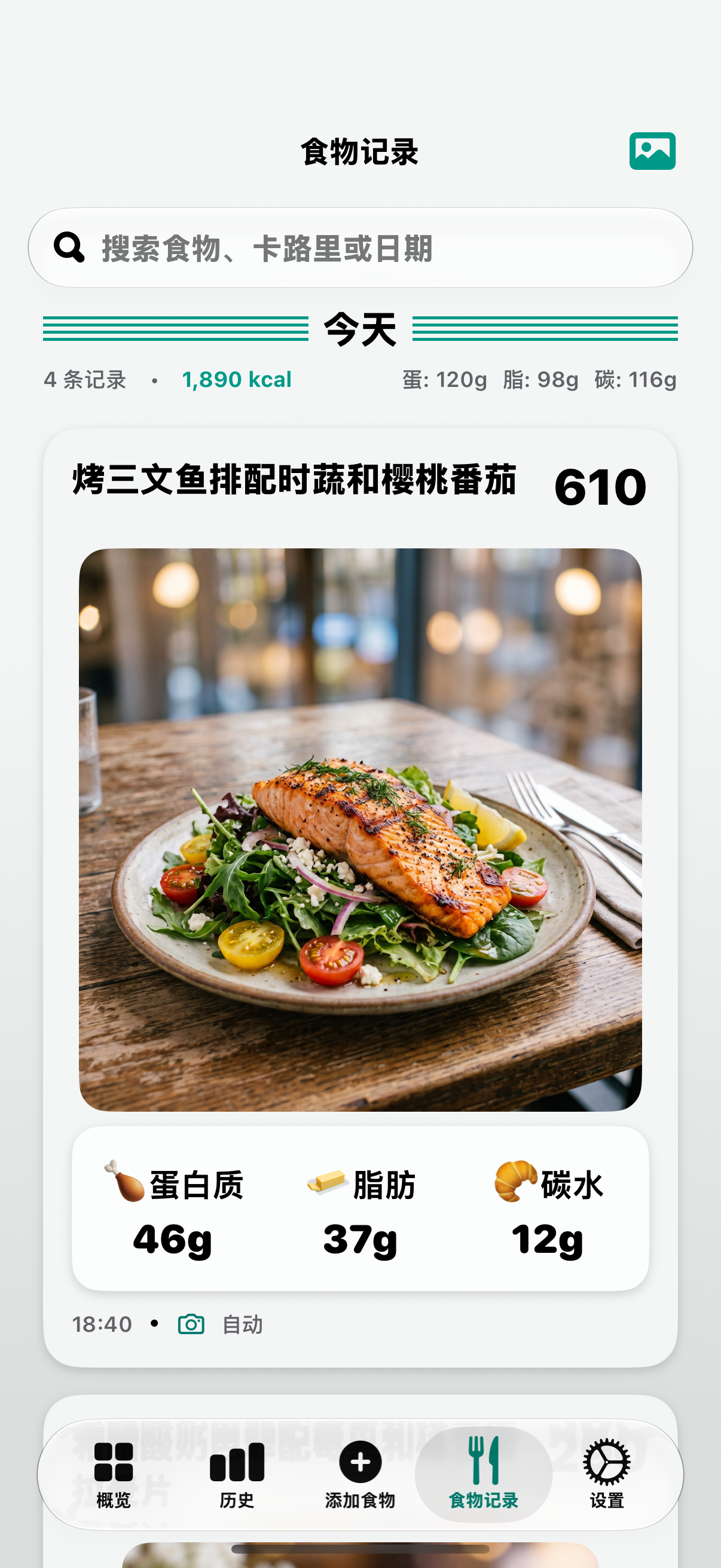
- Snap to log. Point the camera at a meal — or a nutrition label or a restaurant menu — and tap the shutter. The AI works out calories, protein, fat, and carbs, and the food lands in today's log with its photo attached.
- Private by design. No account, no ads, and the food log lives on the device. Export a full backup at any time and import it on a new phone.
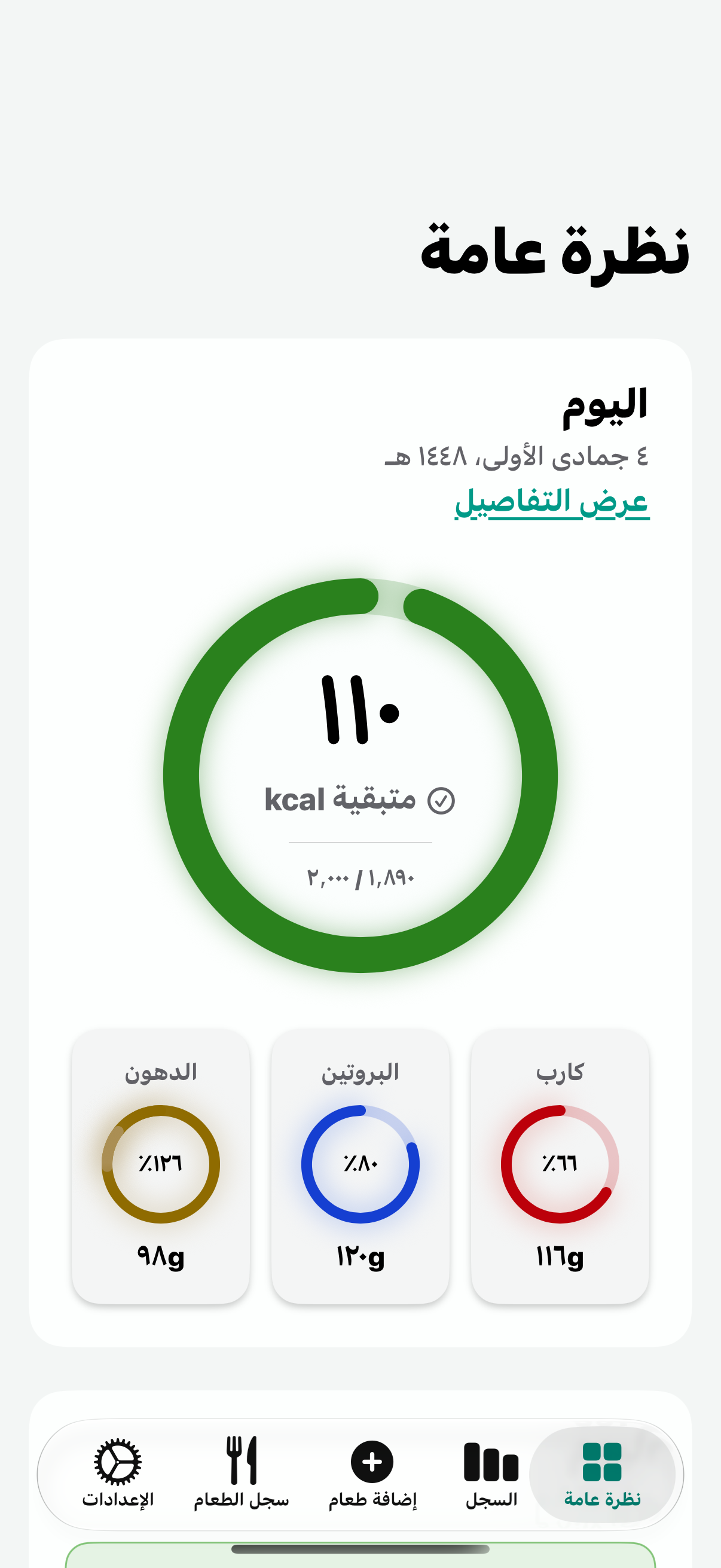
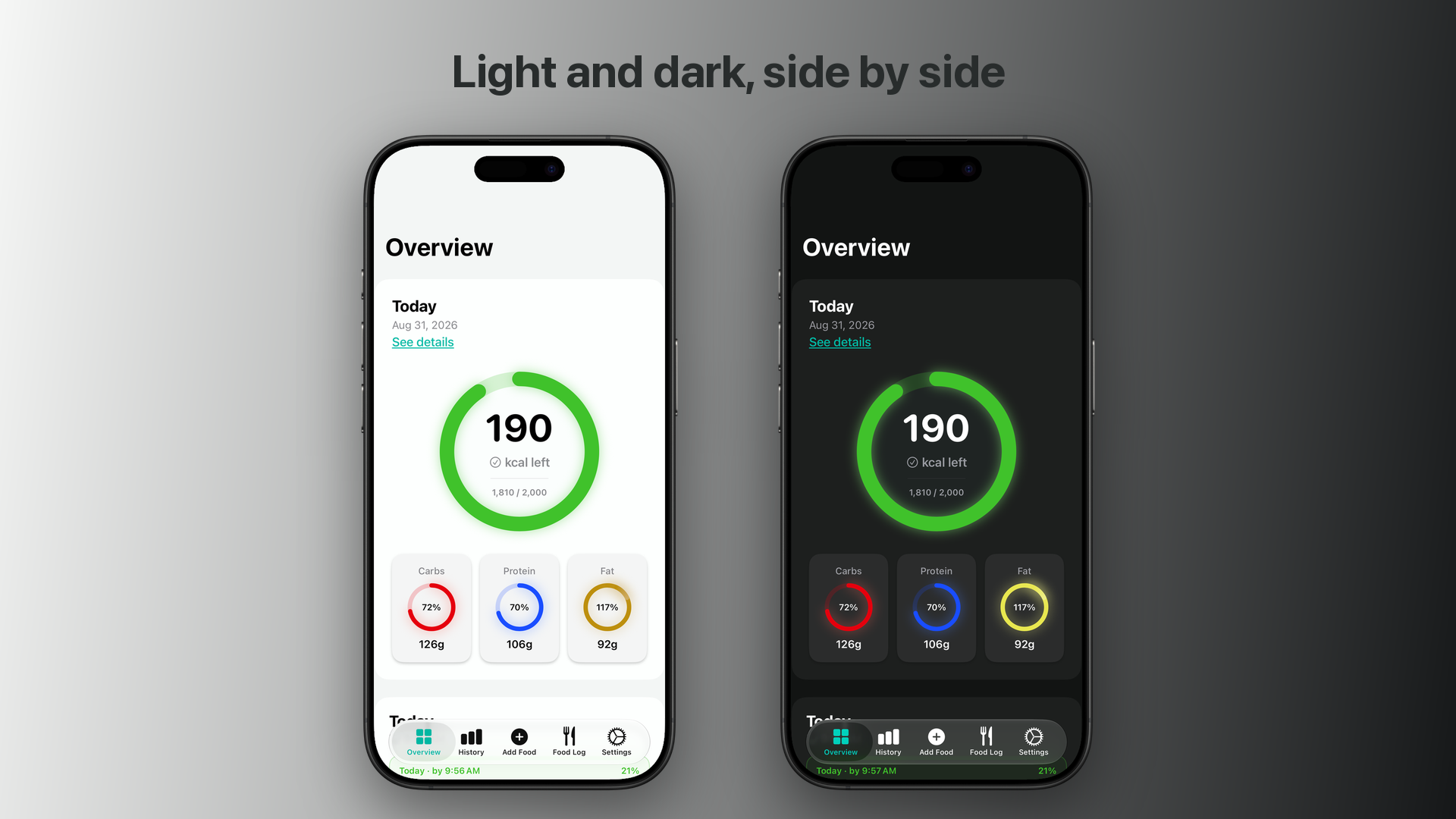
- Accessible and localized. Fully localized into 69 languages, including right-to-left layouts, with deep accessibility support: VoiceOver, Voice Control, Larger Text, Bold Text, dark mode, Reduce Motion, Increase Contrast, and Differentiate Without Color — status is always shown with shapes, never color alone. See every accessibility feature.
- Siri & Shortcuts. Ask Siri how many calories you've had today or how much protein is left, and start a food capture from Shortcuts or the Action button.
- Import or describe instead. Mass-select photos from the library, share pictures from other apps, or type “chicken burrito bowl with guacamole” and let the AI fill in the nutrition.
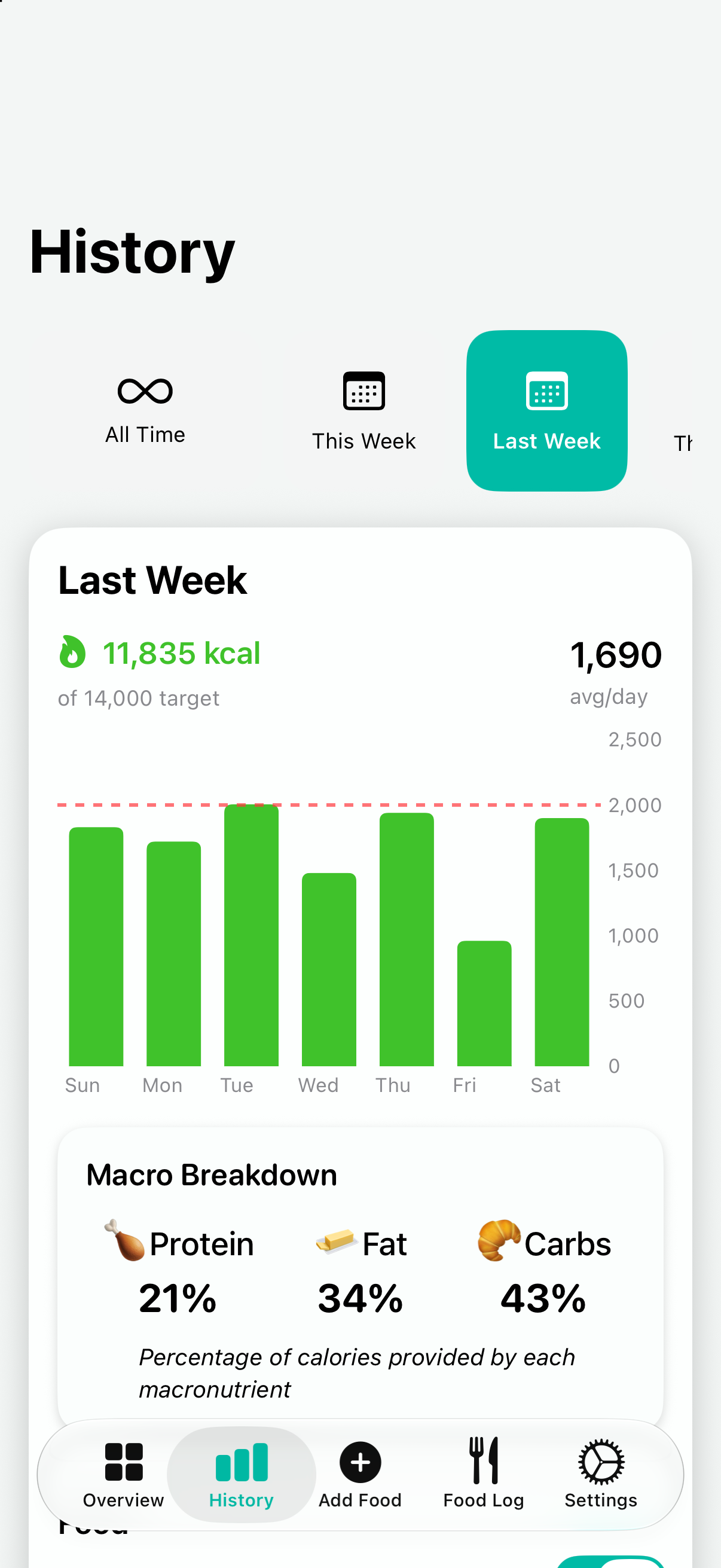
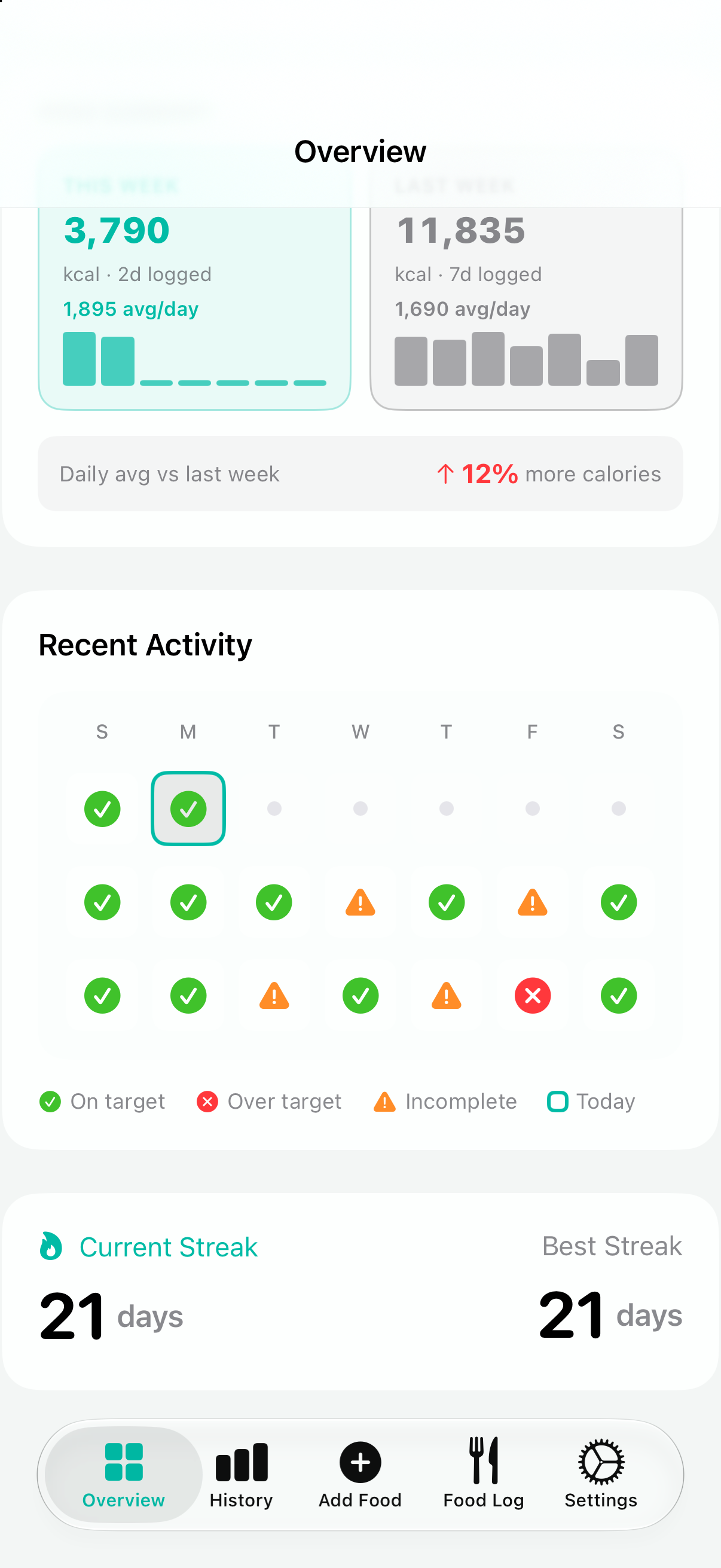
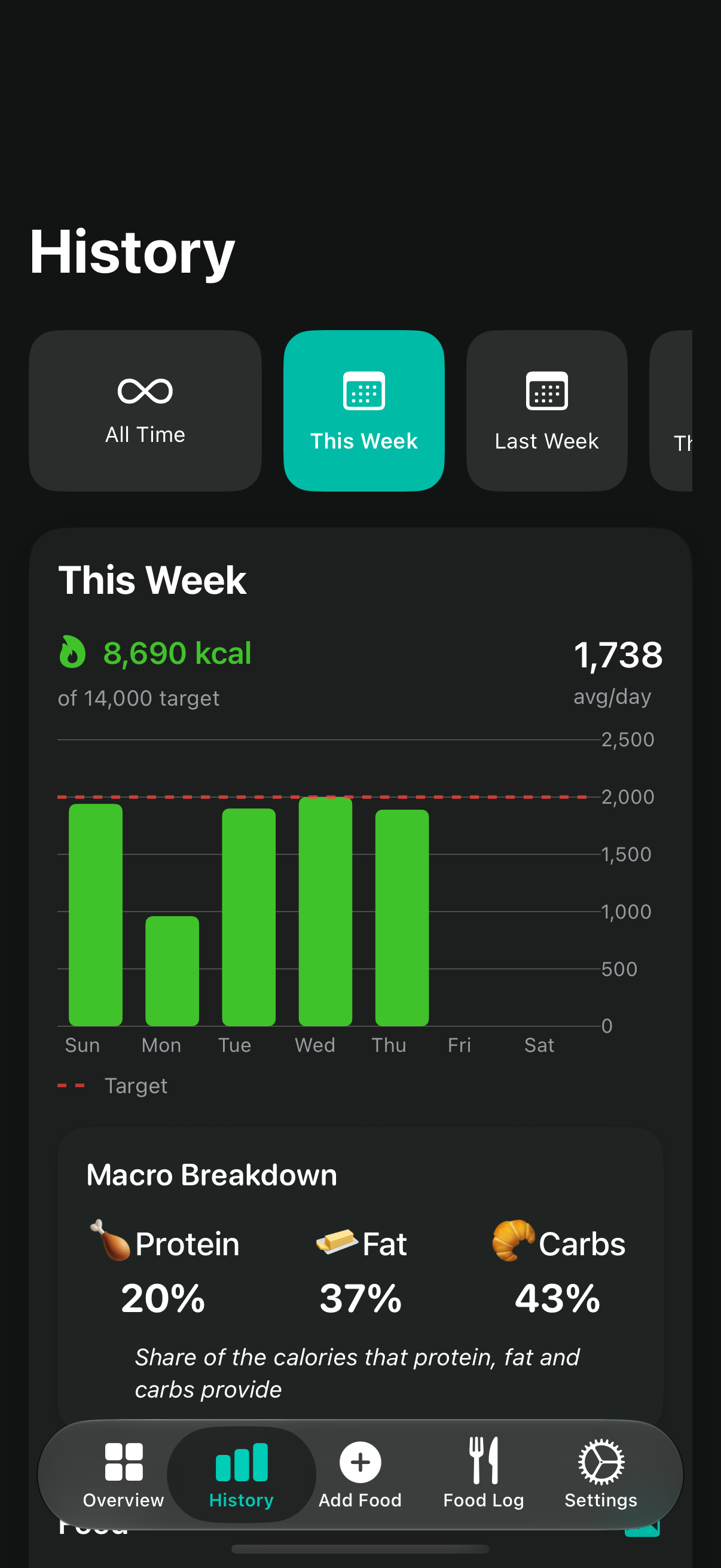
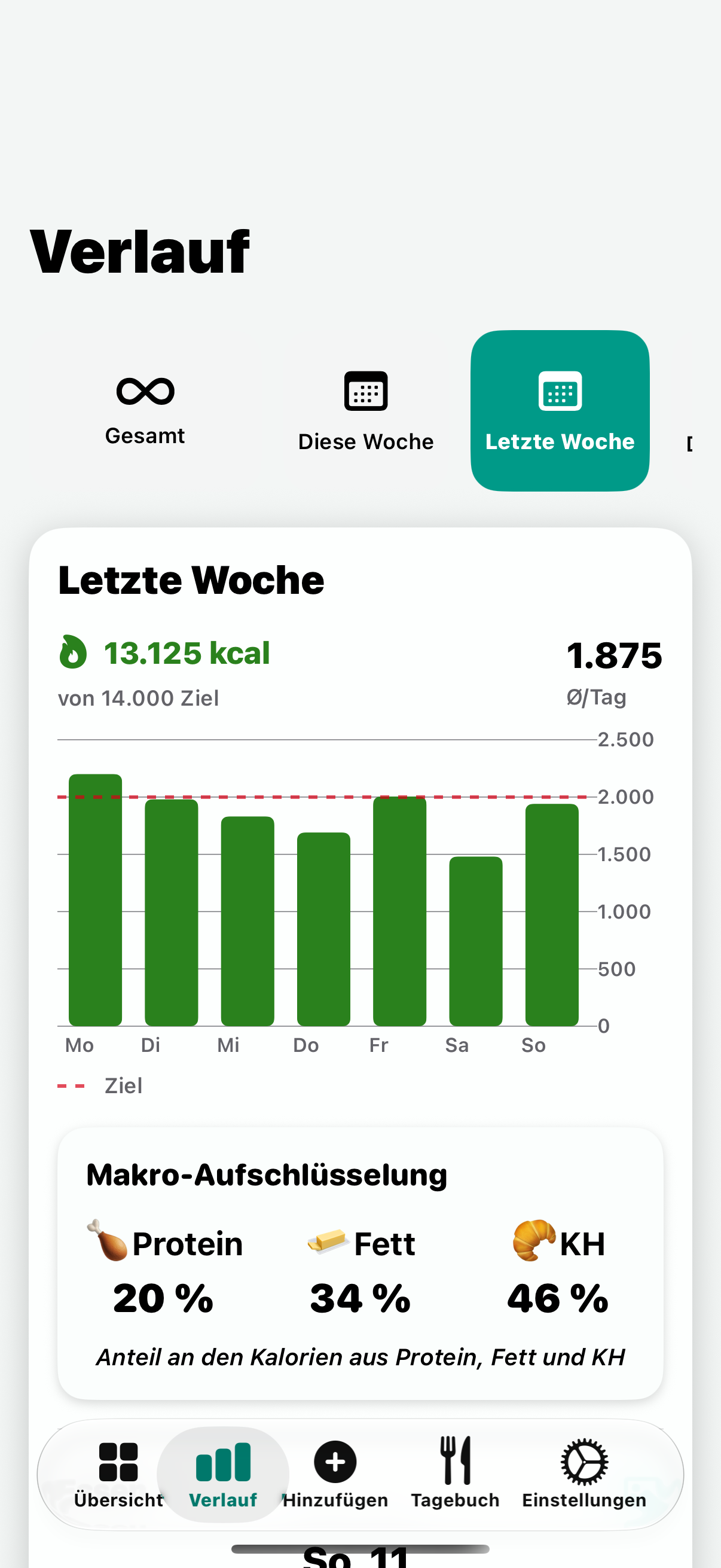
- See the whole day. A calorie ring and macro rings, a today-versus-yesterday comparison at the same time of day, week summaries, streaks, and history charts for any period — plus a photo food log searchable by name, calories, or date.
Product media
Full-resolution screenshots
These are 1206×2622 PNG captures from an iPhone 17 running iOS 27, with no marketing frames, captions, or watermarks, all showing realistic demo data in light and dark mode.
Need every asset?
Screenshots, promo banners, the app icon, the strawberry mark, and a plain-text fact sheet in a single archive.
Marketing media
Promo banners
1920×1080 composites built from the same screenshots, for hero images and social cards.
Version history
Releases
- Next
- PhotoCal 1.8.0, in development — Voice-driven food logging, richer Shortcuts and Spotlight answers: last meal, weekly and period summaries, period comparisons, Widgets. Built for iOS 27.
- 1.7.0
- September 22, 2026 — Greatly improved accessibility: Dynamic Type at every size and Voice Control names on every control. The AI now names your food in the language you use the app in, analysis errors are localized, and Siri and Shortcuts answer more reliably; plus data-safety fixes and stability improvements.
- 1.6.1
- August 18, 2026 — Localized into English and 68 more languages with right-to-left support; Siri and Shortcuts can answer “How many calories have I had today?” and start a capture from the Action button; a full VoiceOver pass over the app.
- 1.5.3
- May 20, 2026 — Background analysis queue with automatic retries, clearer analysis errors, and a major performance pass.
- 1.4
- March 13, 2026 — Redesigned Overview with today-versus-yesterday comparisons, week summaries, a recent-activity calendar, and streaks; Quick Add multi-item manual entry. 1.4.1 followed on March 20, 2026 with subscription fixes (including win-back offers) and a confirmation when canceling a Quick Add entry.
- 1.0
- September 18, 2025 — Launch: photo, import, and typed logging with AI analysis, goals and progress rings, history, a photo food log, and a batch-import share extension. 1.1 and 1.2 followed in October 2025 with fixes.
The developer
About Andrew Benson
Andrew Benson has been building software for about thirty years — from UNIX systems and Wall Street trading technology to independent Apple-platform apps. PhotoCal is written in Swift and SwiftUI and is built and maintained by his studio, Nuclear Cyborg Corp in Minnesota, USA, whose other apps include Countdown Visual Timer, Fish Identifier, and IAP Buddy.
He built PhotoCal for himself first: a tracker with so little friction he'd actually keep using it.
Contact
Questions?
Contact Andrew Benson directly, including your publication and deadline where possible.