PhotoCal AI
Press kit
Language: English
Accessibility

Built for everyone.

PhotoCal works with VoiceOver, Voice Control, Dynamic Type, Bold Text, Increase Contrast and Reduce Motion, never signals status with color alone, and is localized into 69 languages — right-to-left included.

Dynamic Type

Text that grows, and layouts that make room for it.

From the default size up to the largest accessibility size, PhotoCal's layouts adapt instead of truncating: labels wrap onto their own lines, values stack under their names, and the camera's controls reflow to fit.

A day's summary at the default text size: calories, macro progress bars, and a photo of Grilled Salmon Fillet over Greens with Cherry Tomatoes
Default size
The same day's summary at the largest accessibility text size, each macro's figures wrapped under its name
Largest accessibility size
The camera screen at the largest accessibility text size, a salad in frame and the shutter and photo library button stacked below it
The camera, at the largest size
VoiceOver

Every meal, read out as one.

Each food in the log is a single element: VoiceOver reads the dish, its calories and macros, and when it was logged, then offers to open it or delete it. Tabs, the calorie ring, photos and every button carry names of their own.

The food log: Greek Yogurt Parfait with Berries and Granola, with its photo, calories and macros
Voice Control

Log a meal without touching the screen.

Every control has a name Voice Control can say, and the ones you use most answer to the words people actually reach for. Say any of these to take the photo, or to type the meal in instead:

  • “Tap Shutter”
  • “Tap Take photo”
  • “Tap Capture”
  • “Tap Add food manually”
The camera screen framing a plate of salad, with the shutter, photo library and manual entry buttons
Bold Text

Heavier text, everywhere.

Turn on Bold Text and every label in PhotoCal gets heavier, with the layout making room where the words grow.

The food log with standard text
Standard
The food log with Bold Text on, every label in a heavier weight
Bold Text
Increase Contrast

Stronger colors when you need them.

PhotoCal's palette has high-contrast variants, in light and dark, that take over when Increase Contrast is on: the calorie ring, the macro rings and the accents all strengthen — deeper in light mode, brighter in dark.

The overview in standard contrast: the calorie ring, with carbs, protein and fat rings
Standard
The same overview with Increase Contrast on, the rings and accents in stronger colors
Increase Contrast
Differentiate Without Color

Status is a shape, never just a color.

Being on track reads “✓ kcal left,” not just a green ring, and the recent-activity calendar marks each day on target, over target, or incomplete with a symbol of its own.

That's true all the time — not only when Differentiate Without Color is on.

The recent-activity calendar, each day marked with a checkmark, a warning triangle, or a cross, above the current and best streaks
Dark Mode

Light or dark, designed both ways.

PhotoCal follows your system setting with a dark palette designed alongside the light one, not a light theme turned inside out.

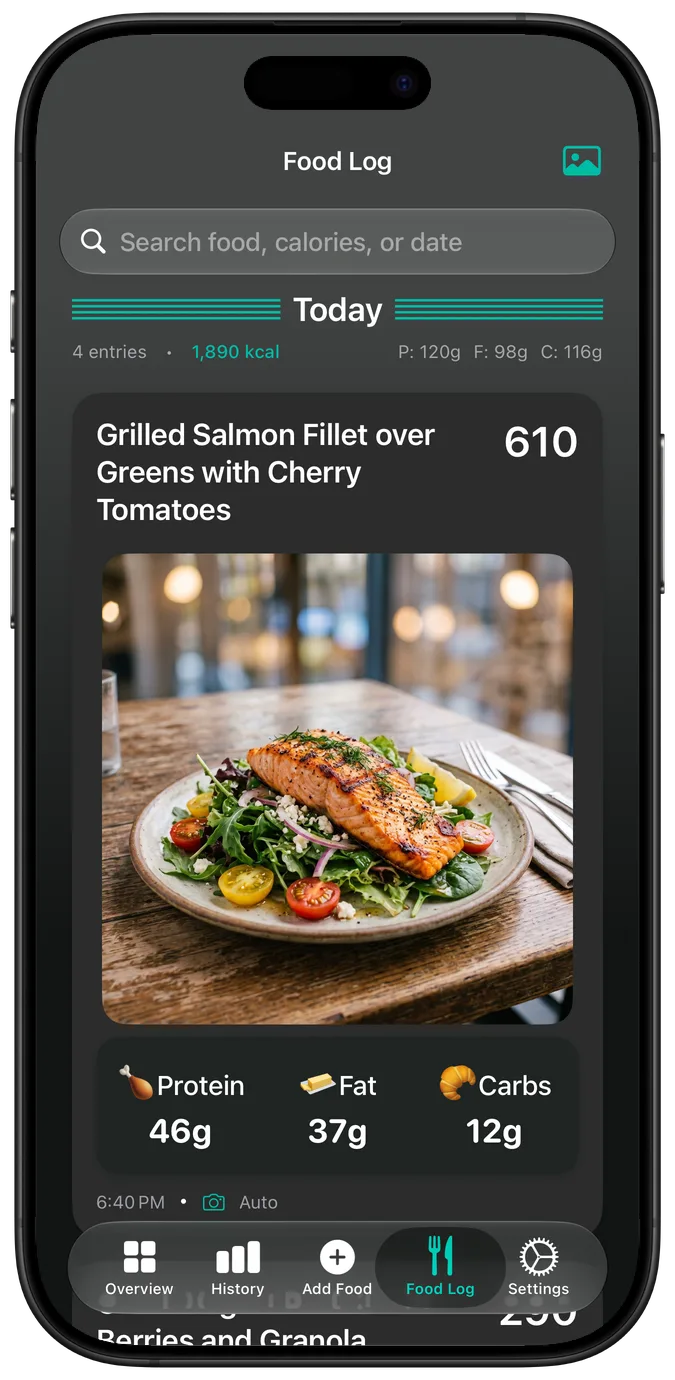
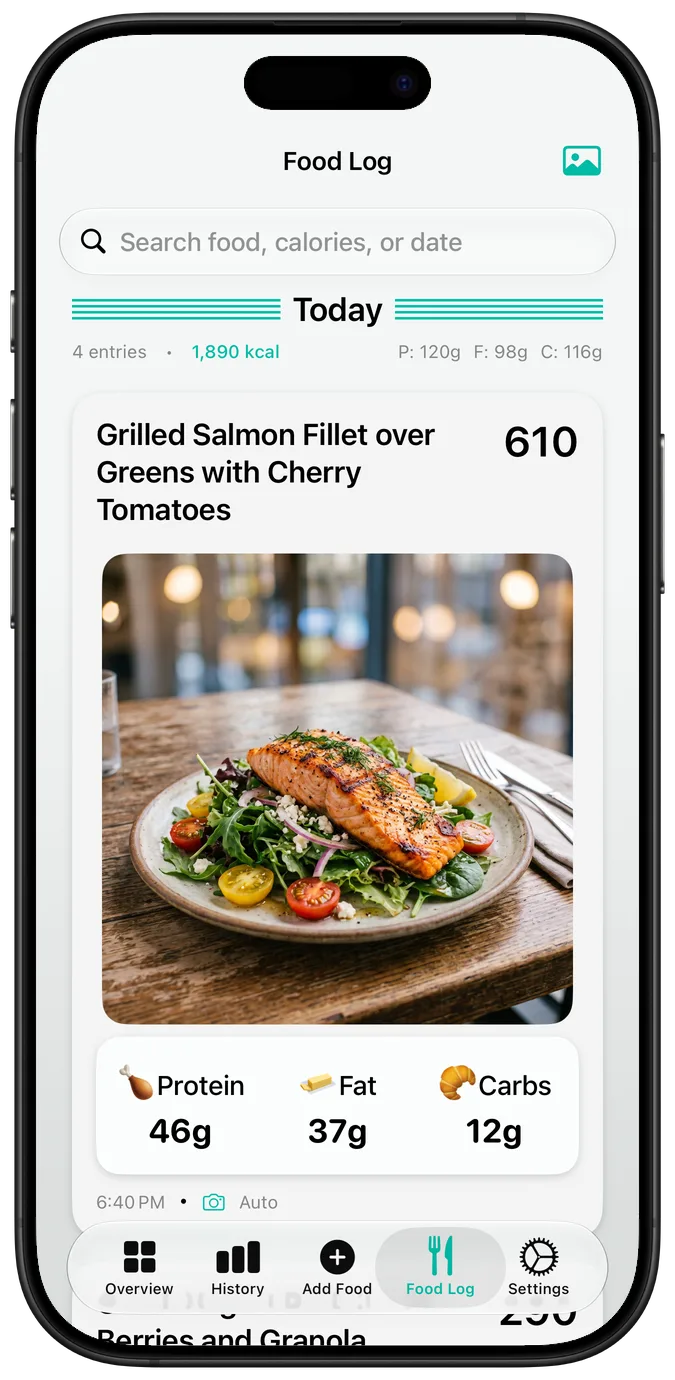
The food log in light mode
Light
The food log in dark mode
Dark
69 languages

Your language, even the food.

PhotoCal is localized into 69 languages. In Arabic, Hebrew, Persian and Urdu the whole layout mirrors right to left, numbers are written the way each language writes them, and the AI names what you ate in your language, too.

The food log in Arabic, laid out right to left, the grilled salmon's name in Arabic
The food log in Japanese
Japanese
Last week's history in German
German
The food log in Simplified Chinese
Simplified Chinese
Settings in Spanish
Spanish

Also built in

Reduce Motion

With Reduce Motion on, onboarding and the purchase confirmation drop their springs and bounces.

No camera needed

Type or dictate what you ate — “chicken burrito bowl with guacamole” — and the AI fills in the calories and macros, one item or a whole meal at once. No photo to frame.

Start tracking today

Download on the App Store
Press kit